AI Receptionist
Setting Escalation Trigger Keywords
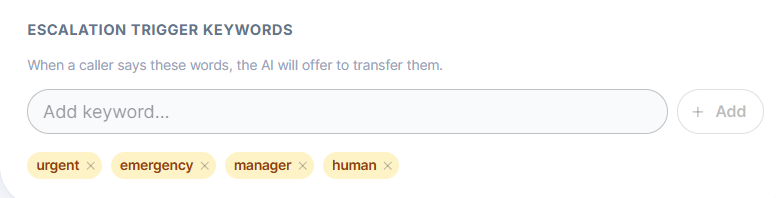
Add words like "urgent" or "manager" that prompt your AI to offer a transfer to a human.
Updated 9/17/2026
Trigger keywords tell your AI which words should prompt it to offer a transfer to a human. 1. Go to Settings → AI Control Panel → Call Escalation. 2. In Escalation Trigger Keywords, type a word or phrase into Add keyword. 3. Click Add. Repeat for each keyword you want (for example, urgent, emergency, manager). 4. Remove a keyword at any time by clicking the × on its tag. Example: If a caller says "I need to speak to a manager," and manager is set as a trigger keyword, the AI will offer to transfer the call.