Get Started
Understanding Your Dashboard (Overview)
A quick tour of the Overview page, including your AI status, setup checklist, sidebar, and top bar tools.
Updated 9/17/2026
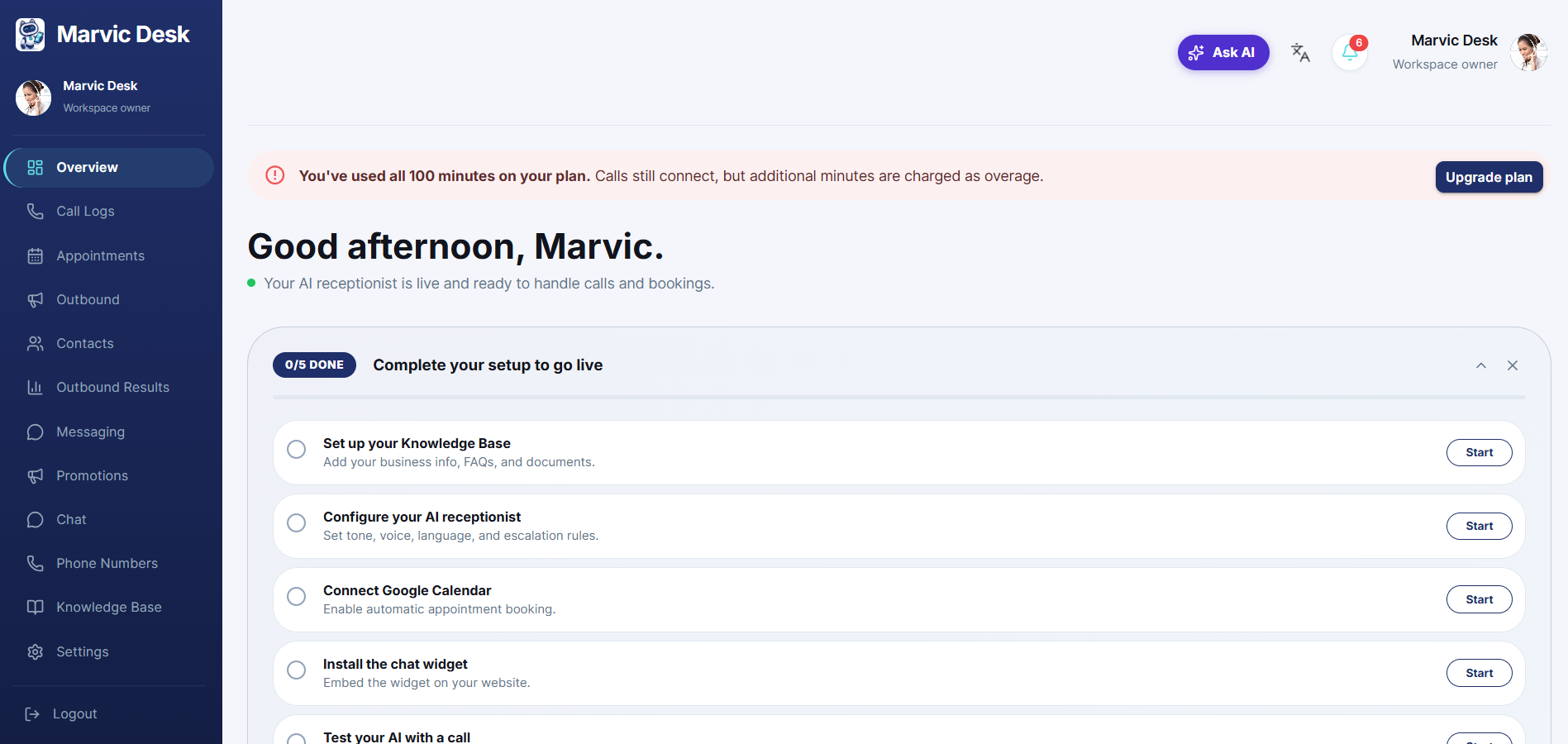
Overview is the first screen you see after logging in. It gives you an at-a-glance status of your AI Receptionist and a checklist to finish setting up. ● A personalized greeting (e.g., "Good afternoon, John") and a status line showing whether your AI Receptionist is live and ready to handle calls and bookings. ● The Complete your setup to go live checklist, showing how many of the 5 setup steps are done. ● The left-hand navigation sidebar: Overview, Call Logs, Appointments, Outbound, Contacts, Outbound Results, Chat, Phone Numbers, Knowledge Base, and Settings. ● In the top bar: the Ask AI assistant, a language switcher, a notification bell, and your account menu.