
Get Started
Creating Your Account
Sign up in about two minutes and create your workspace and login in a single step.
Updated 9/17/2026
Signing up takes about two minutes. You'll create your workspace and your own login in a single step. 1. Go to the Marvic Desk signup page and click Sign Up. 2. Enter your First Name and Last Name. 3. Enter your Business Name (this becomes your workspace name) and, optionally, your Website. 4. Enter your Phone Number and Email Address. 5. Create a Password. It must be at least 8 characters and include an uppercase letter, a lowercase letter, and a number. 6. Re-enter your password in Confirm Password. 7. Click Create Workspace & Continue.
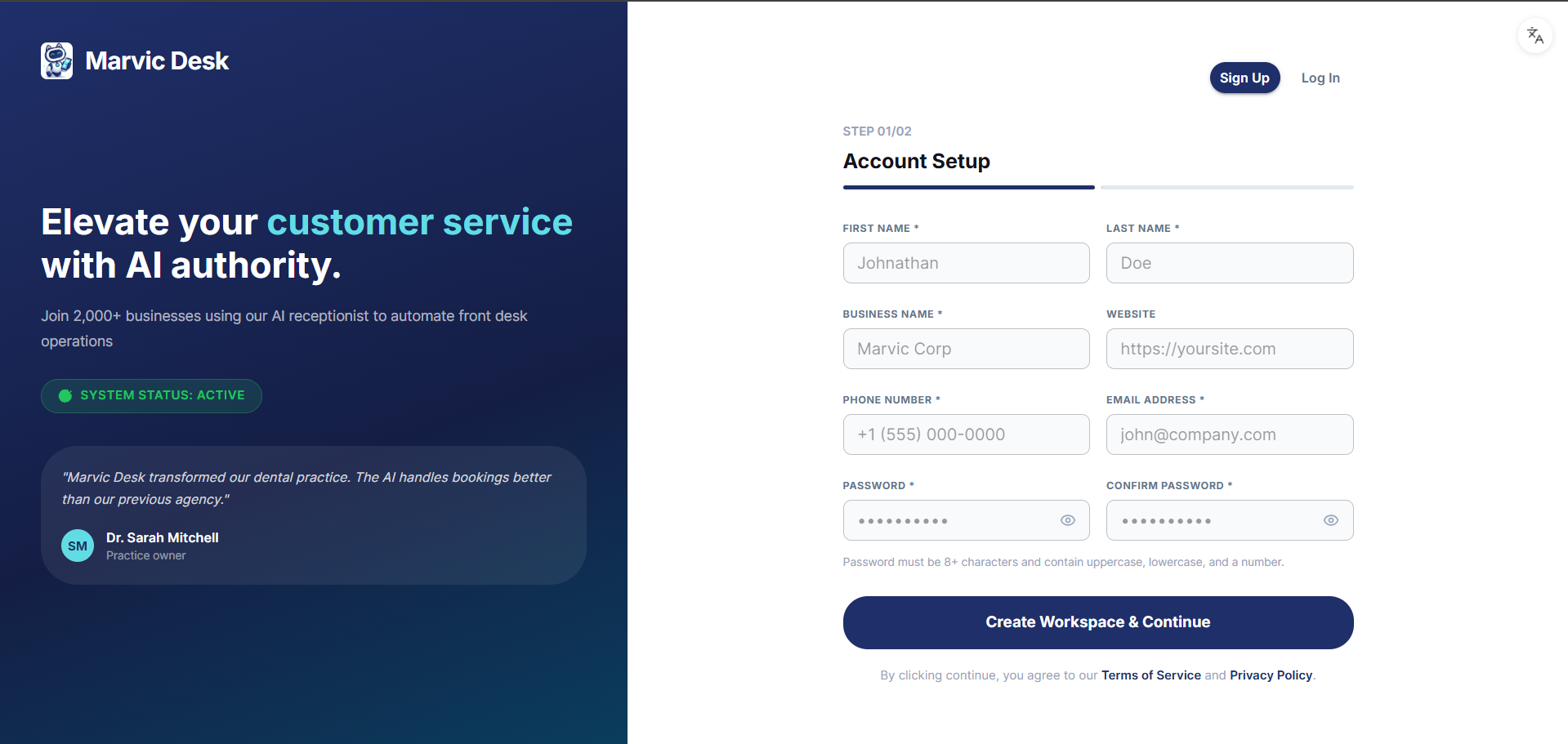
Note: By continuing, you agree to the Terms of Service and Privacy Policy linked on the signup form. Your business name and other details can be edited later from Settings → Workspace.