Messaging
Understanding the Messaging Channels Page Layout
A tour of the Messaging page, including channel pills, the Inbox tab, and the Auto-Replies tab.
Updated 9/24/2026
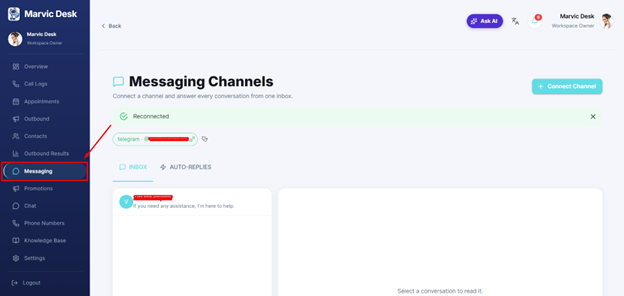
The Messaging Channels page (Messaging in the side menu) has a consistent layout for every channel you connect. ● + Connect Channel — button in the top-right corner that opens the channel connection window. ● Channel pill — shows each connected channel and its handle (for example, telegram · @MarvicDeskBot), with a small connection icon and a stethoscope health-check icon next to it. ● INBOX tab — lists conversations from connected channels; select one to read and reply in the panel on the right. ● AUTO-REPLIES tab — configures automated responses for the channel.