Messaging
Reading and Replying to Messages in Your Inbox
Open any conversation from a connected channel and reply directly from Marvic Desk.
Updated 9/24/2026
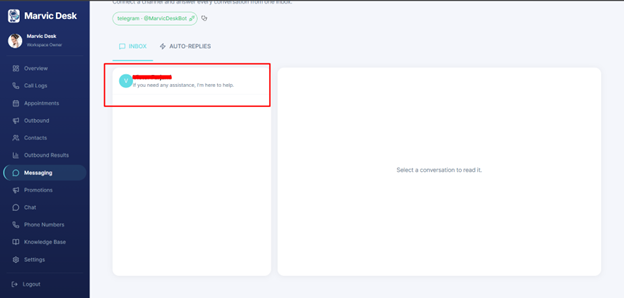
Once a channel is connected, incoming messages appear in the Inbox tab. 1. Go to Messaging and make sure the Inbox tab is selected. 2. Click a conversation on the left to open it. 3. Read and reply in the panel on the right. Note: If no conversation is selected, the right-hand panel shows "Select a conversation to read it."