
Account & Workspace
Setting Your Dashboard Language
Switch the dashboard to English, Farsi, Arabic, or Turkish without changing the language your AI speaks.
Updated 9/17/2026
Marvic Desk lets you change the language of the dashboard interface itself, separately from the language your AI speaks on calls. 1. Click the translate/globe icon in the top bar, next to Ask AI. 2. Choose your preferred dashboard language: English, Farsi (فارسی), Arabic (العربية), or Turkish (Türkçe). 3. The dashboard interface updates immediately.
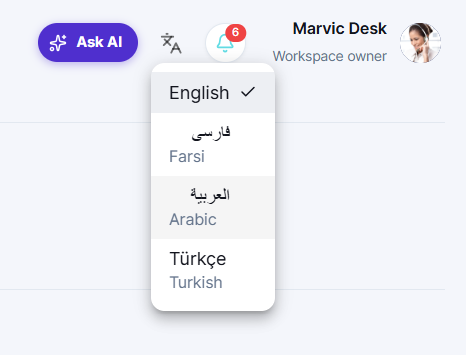
Note: This only changes the dashboard's display language. To change what language your AI Receptionist speaks with customers, go to Settings → AI Control Panel → Languages Supported instead.