Account & Workspace
Changing Your Password & Managing Security
Reset your password and check that two-factor authentication is protecting your account.
Updated 9/17/2026
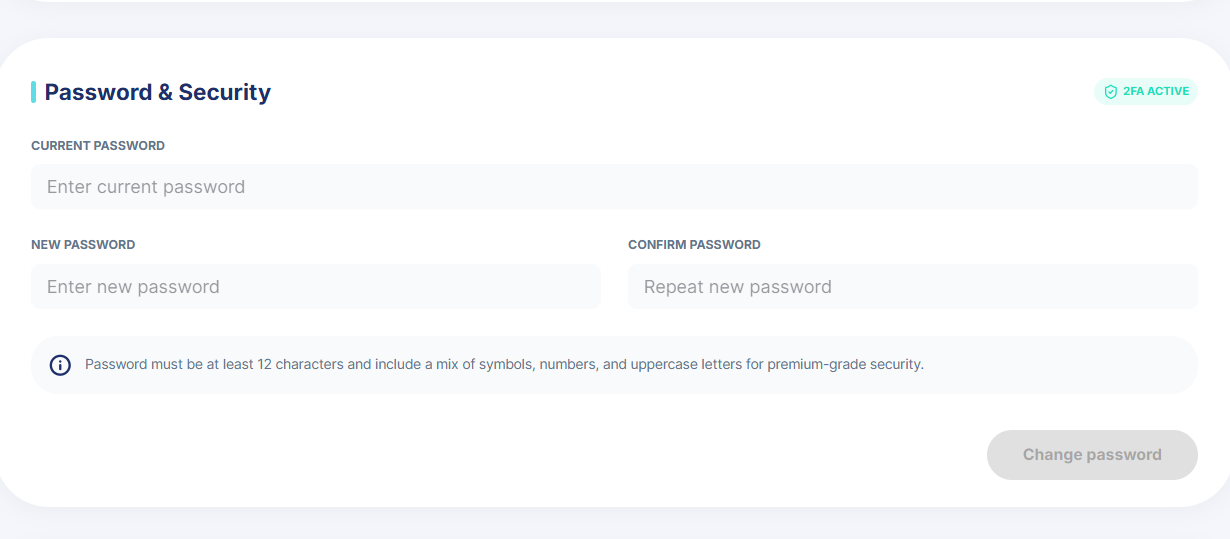
Update your password from the same Workspace tab in setting where your profile lives. 1. Go to Settings → Workspace. 2. Scroll Down. In the Password & Security card, enter your current password. 3. Enter a new password and confirm it. It must be at least 12 characters and include a mix of symbols, numbers, and uppercase letters. 4. Click Reset Password. Note: A 2FA Active badge on this card confirms two-factor authentication is protecting your account.