Outbound
Reading Your Campaign Results
Filter and review the outcome of every call and text your campaigns place.
Updated 9/18/2026
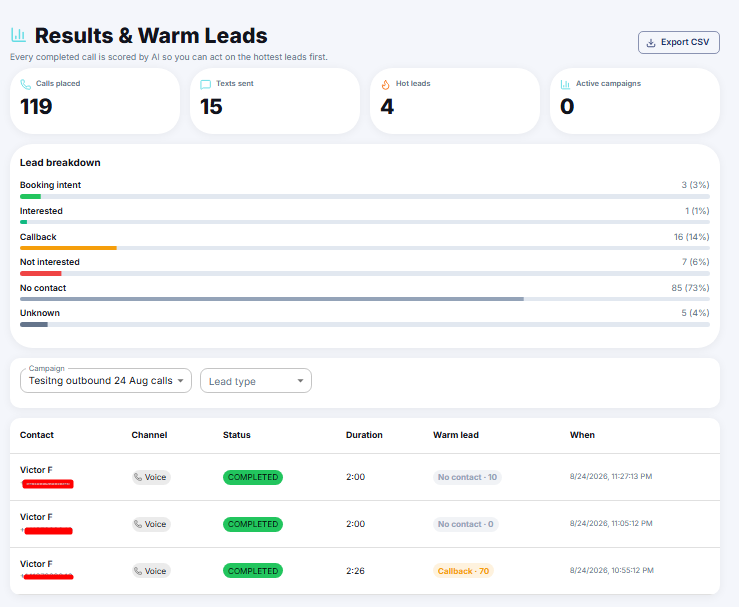
The results table on Outbound Results shows the outcome of every call or text placed. 1. Go to Outbound Results. 2. Use the Campaign and Lead type dropdowns to filter the table. 3. Review each row's Contact, Channel, Status, Duration, Warm lead score, and When it occurred.