Outbound
Creating an Outbound Campaign: Step by Step
Step by Step: Set up a new voice, SMS, or combined campaign from start to finish.
Updated 9/18/2026
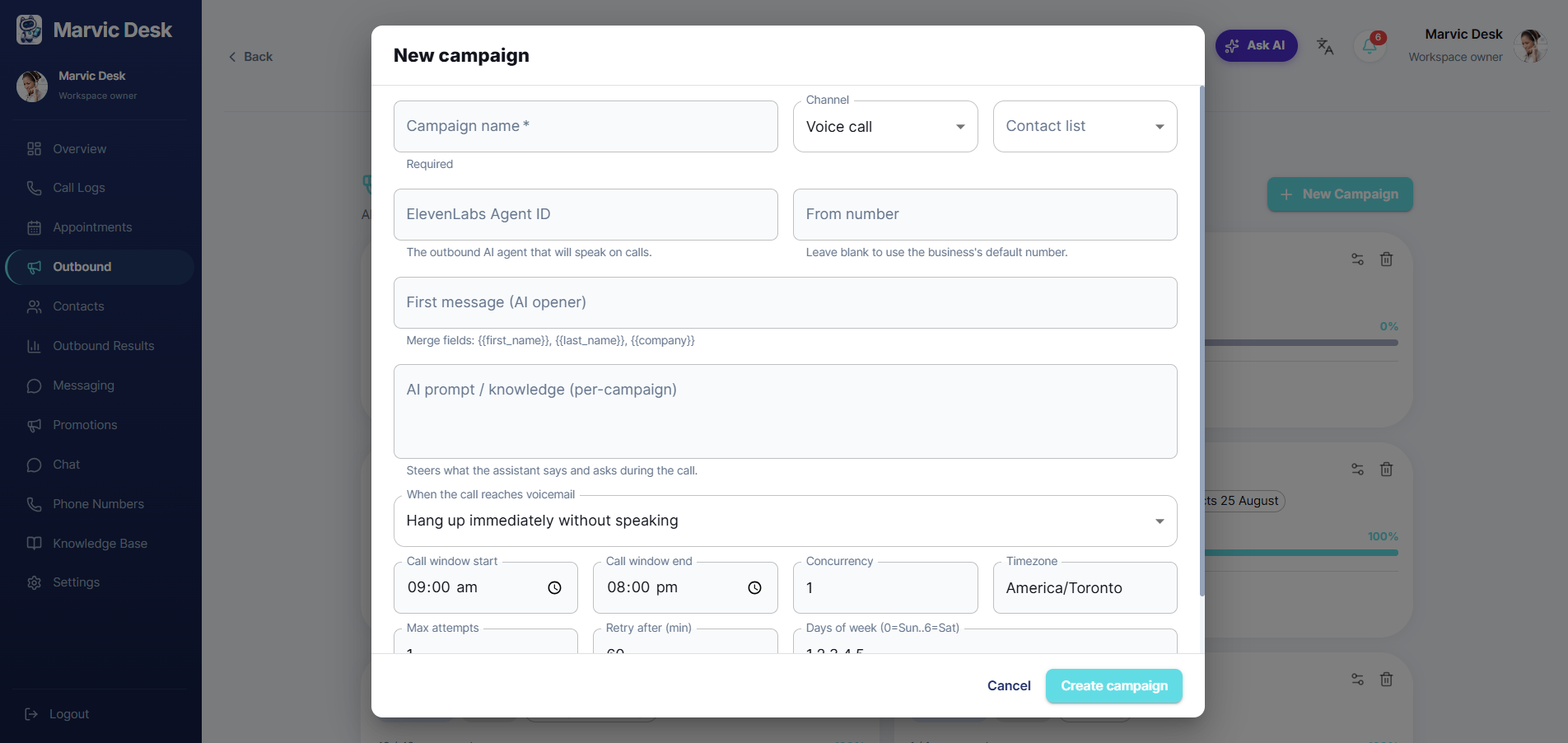
Set up a new campaign from the Outbound page. 1. Go to Outbound and click + New Campaign. 2. Enter a Campaign name. 3. Choose a Channel: Voice call, SMS, or Voice + SMS. 4. Choose a Contact list (see Selecting or Building a Contact List for a Campaign if you haven't created one yet). 5. Fill in the fields specific to your chosen channel (see Choosing a Campaign Channel). 6. Set your call behavior options: call window, concurrency, timezone, max attempts, retry interval, and days of week. 7. Click Create campaign.