
Promotions
How to Create a New Promotion
Set up a new offer with dates, details, and the channels allowed to mention it.
Updated 9/24/2026
Set up a new time-limited offer and choose where your AI is allowed to mention it. 1. Go to Promotions and click + New Promotion. 2. Enter a Title (required). 3. In Details, describe what the offer is, who it applies to, and any conditions. 4. Optionally, add a Short version for calls — one sentence the AI assistant can say out loud. 5. Set Starts and Ends dates/times. Leave Ends empty to run the promotion until you switch it off manually. 6. Under Where it may be mentioned, check any channels the offer should be limited to: Voice, Chat, SMS, Outbound, Telegram, Facebook Messenger, Instagram Direct, WhatsApp. 7. Click Create.
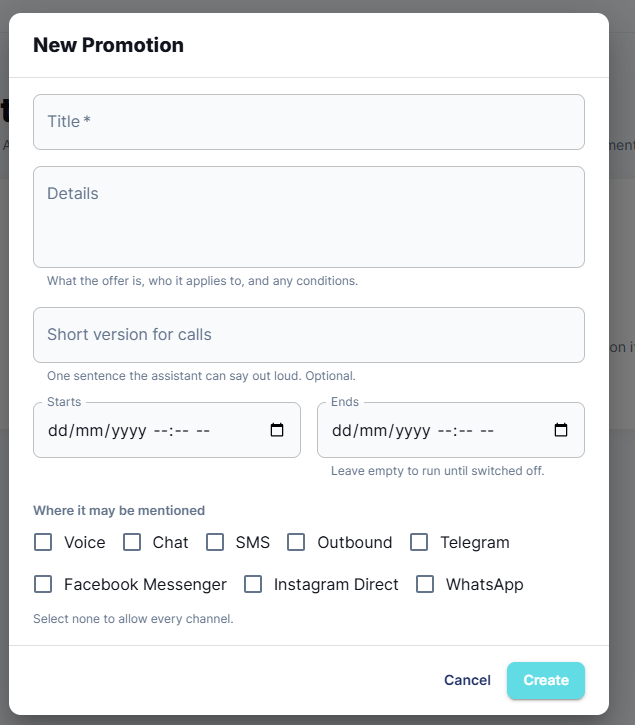
Note: Select no channels to allow the promotion to be mentioned on every channel.