Messaging
How to Connect Telegram to Marvic Desk
Paste your BotFather token to connect a Telegram bot and start receiving messages in your inbox.
Updated 9/24/2026
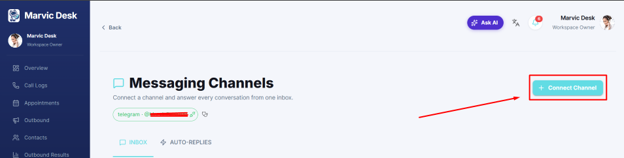
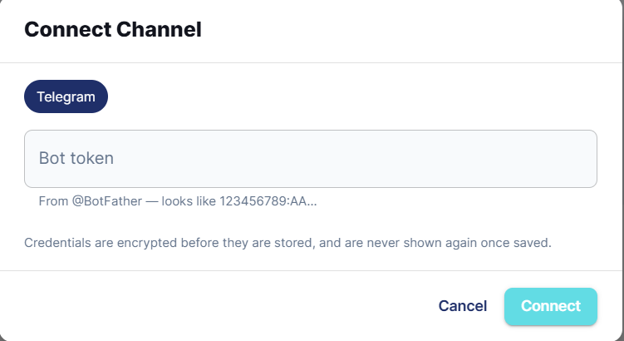
Connect a Telegram bot so messages sent to it arrive directly in your Marvic Desk Messaging inbox. 1. Log in to Marvic Desk. In the side menu, click Messaging. 2. Click + Connect Channel in the top-right corner. 3. In the Connect Channel window, confirm Telegram is selected. 4. Paste your bot token from @BotFather into the Bot token field. 5. Click Connect.