Chatbot
Deploying Your Widget: Embed Script
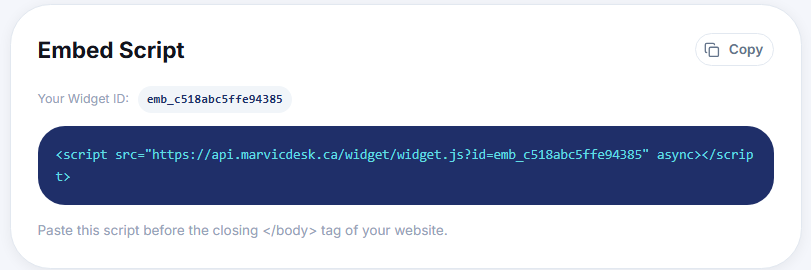
Embed Script: Copy your embed script and add the chat widget to your website.
Updated 9/17/2026
Add the chat widget to your website using a short script tag. 1. Go to Settings → Chatbot Config. 2. In the Embed Script card, note your Widget ID. 3. Click Copy to copy the full script tag. 4. Paste the script before the closing </body> tag of your website's HTML. Example: <script src="https://api.marvicdesk.ca/widget/widget.js?id=emb_xxxxxxxxxxxxxxx" async></script>