Chatbot
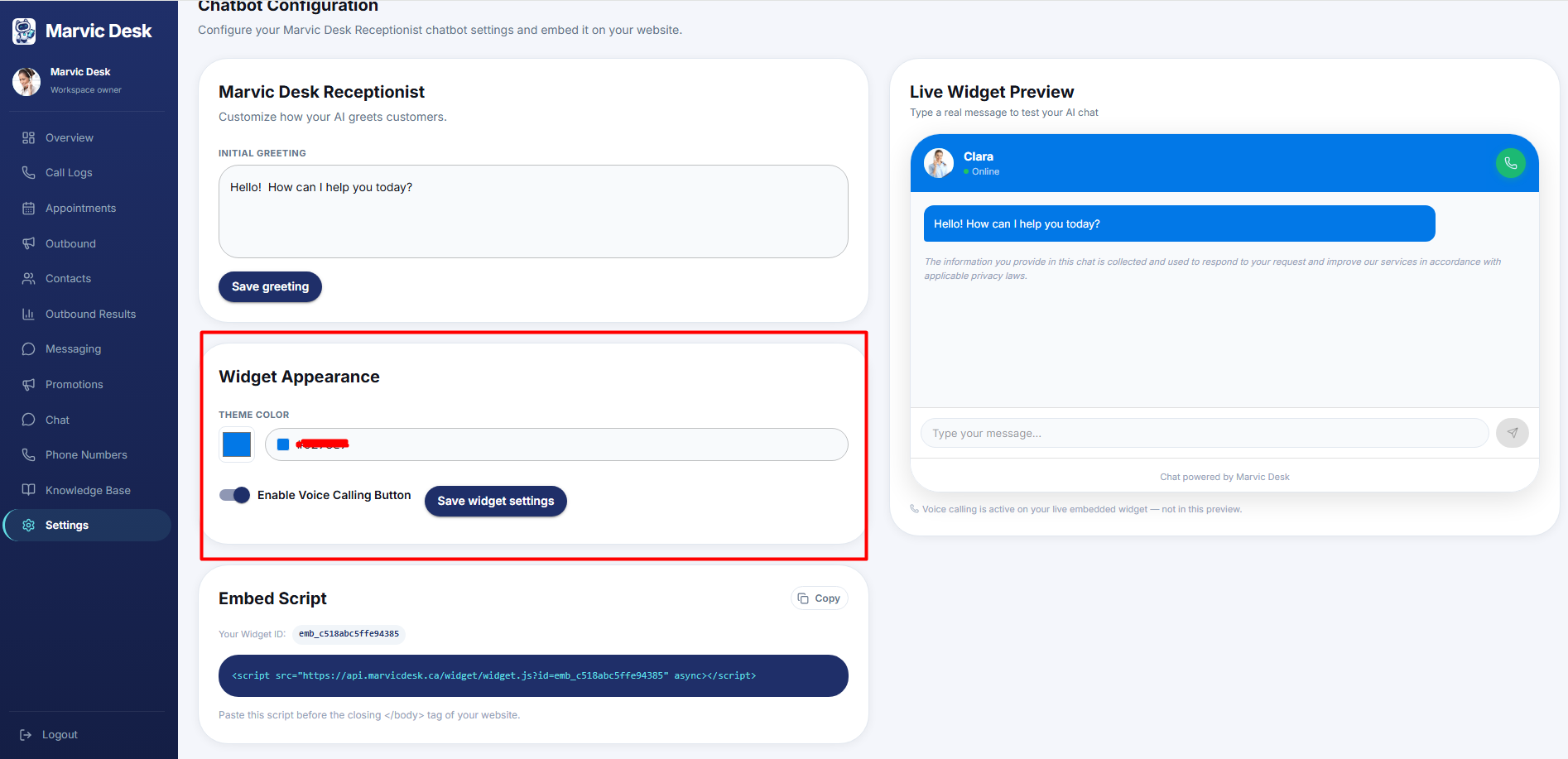
Customizing Widget Appearance
Match your chat widget's color to your brand.
Updated 9/18/2026
Match the chat widget's color to your brand. 1. Go to Settings → Chatbot Config. 2. In Widget Appearance, choose a Theme Color using the color switch or by entering a hex code (for example, #1F2F69). 3. Click Save Widget Settings.