
Phone Numbers
How to Connect a Number to Your AI Agent
Link a purchased number to your AI Receptionist so it can start answering calls.
Updated 9/17/2026
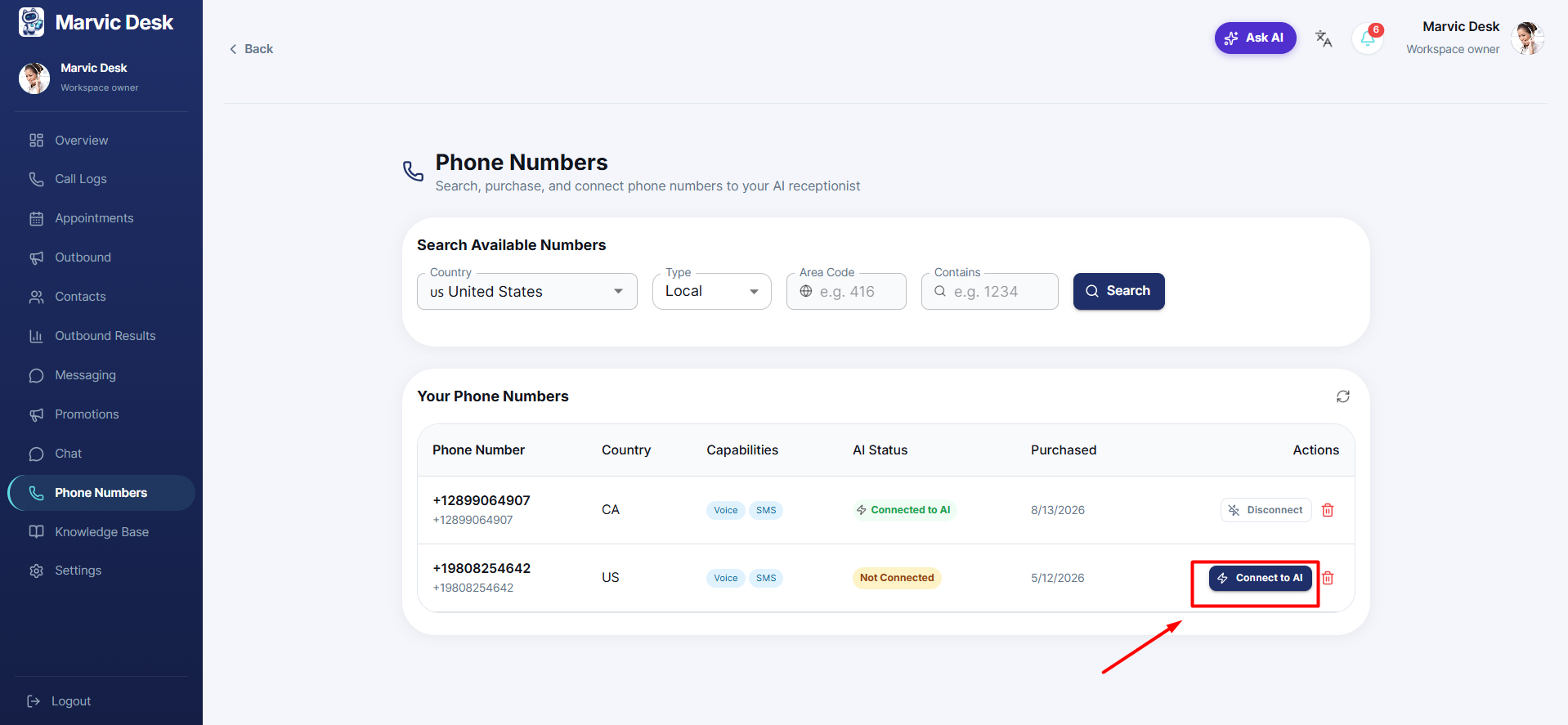
A purchased number can't answer calls until it's connected to your AI Receptionist. 1. Go to Phone Numbers and scroll to Your Phone Numbers. 2. Find the number you want to activate — its AI Status will show Not Connected. 3. Click Connect to AI in the Actions column. 4. Once connected, the AI Status updates to Connected, confirming the number is now linked to your AI Receptionist.
Note (A Mandatory Step): Configure your AI Receptionist in Settings → AI Control Panel before connecting a number, so it's ready to handle real calls as soon as the number goes live.