Call Logs
Call Details: Reading an Individual Call
Reading an Individual Call: Open any call to see caller information, an AI summary, and the full transcript.
Updated 9/18/2026
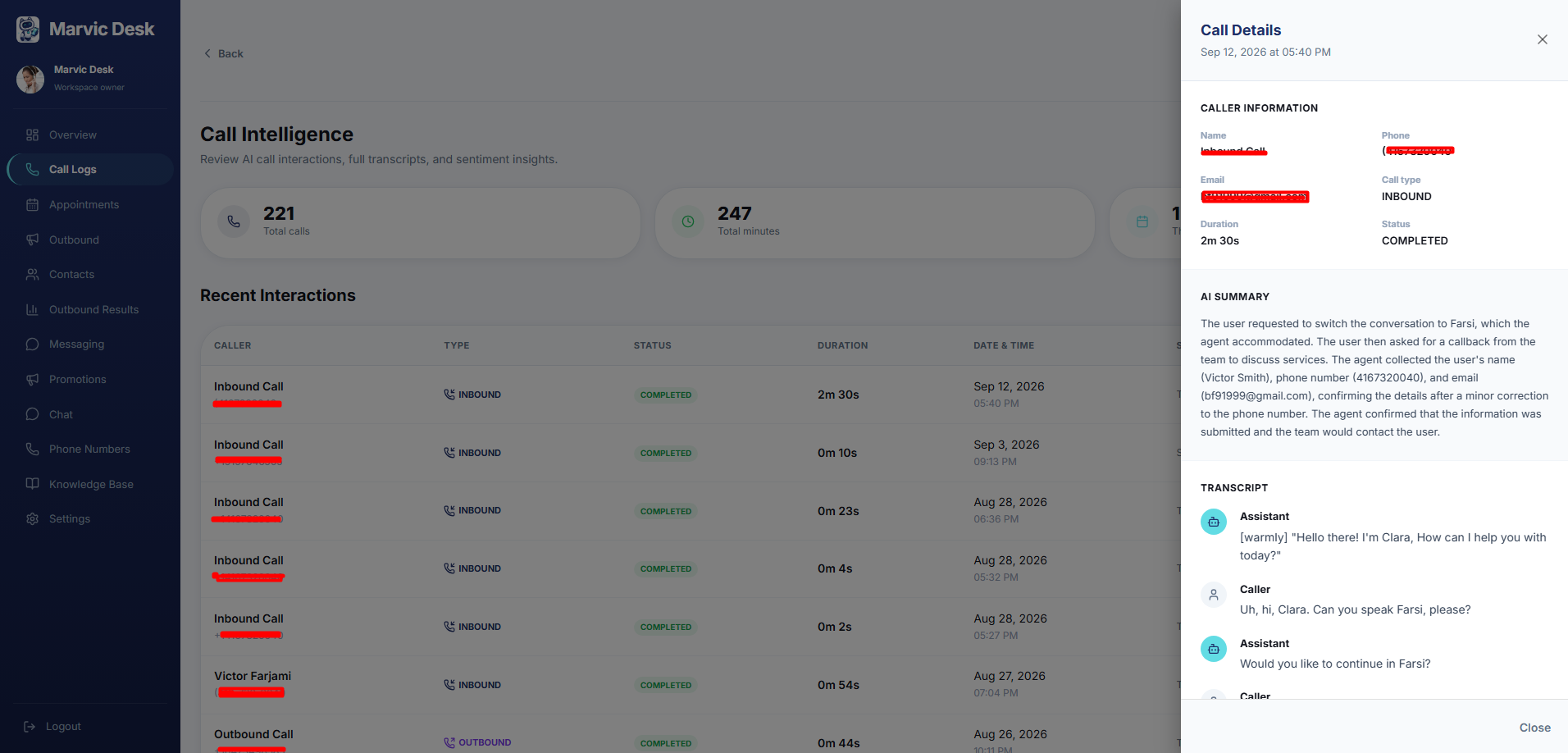
Click any row in Recent Interactions to open the Call Details panel for that call, sliding in from the right. 1. Go to Call Logs. 2. In Recent Interactions, click any row. 3. The Call Details panel opens, showing the call's date and time at the top. 4. Review Caller Information: Name, Phone, Email, Call Type (Inbound/Outbound), Duration, and Status. 5. Read the AI Summary — a short written summary of what happened on the call. 6. Scroll down to Transcript for the full, turn-by-turn conversation between the AI Agent and the Caller. 7. Click the × (or Close, at the bottom) to return to the Call Logs list.
Note: The AI Summary and Transcript are generated automatically from the call. There is no audio playback — see Transcripts and AI Call Summaries.